
 Icarvisions.com
Since the Google Map interface changed these day, and the vehicle icons shows on Google map will duplicate and can not remove. We had updated the new js files to fix it. Step as below:
1. Open the IVMS Server installation path, find the js folder.
Example path: D:\IVMS Server\tomcat\webapps\web\client\Map\google\js
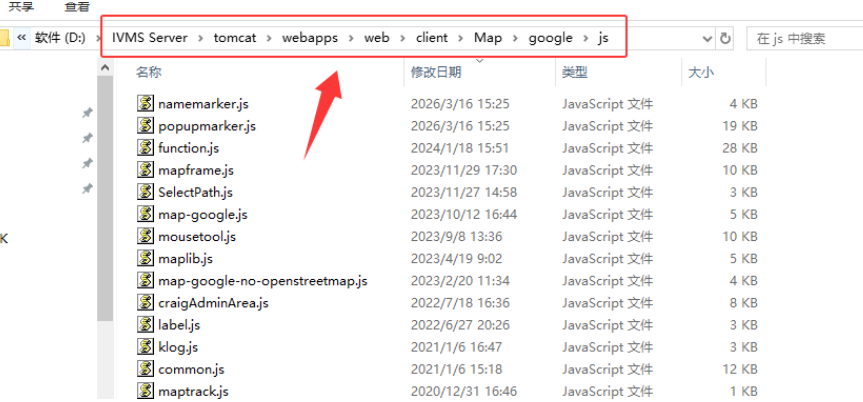
2. Replace the namemarker.js and popupmarker.js on this folder,these two js files download link as below:
https://1drv.ms/u/c/9b995380058417c2/IQD1PqcPJkwVTI2Dr_TEHEXpAaSdPT6mpEtMJengFBzyAaA
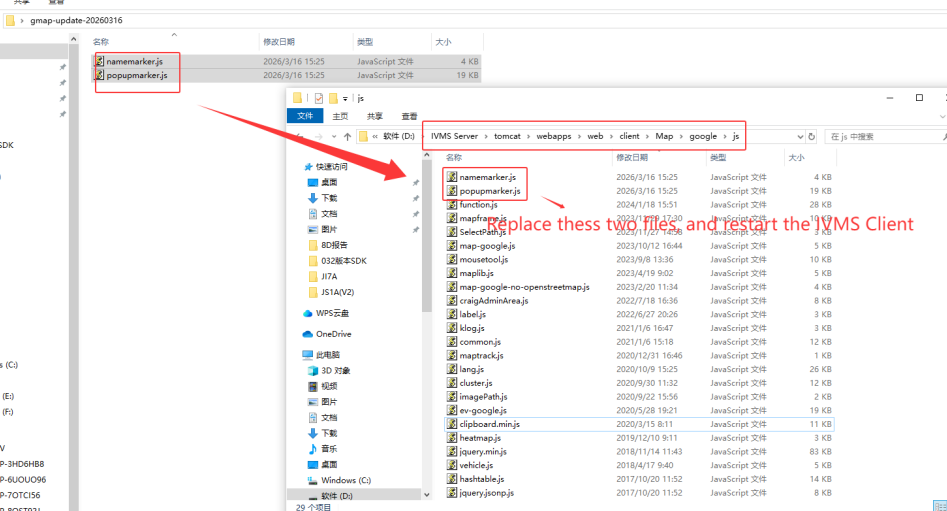
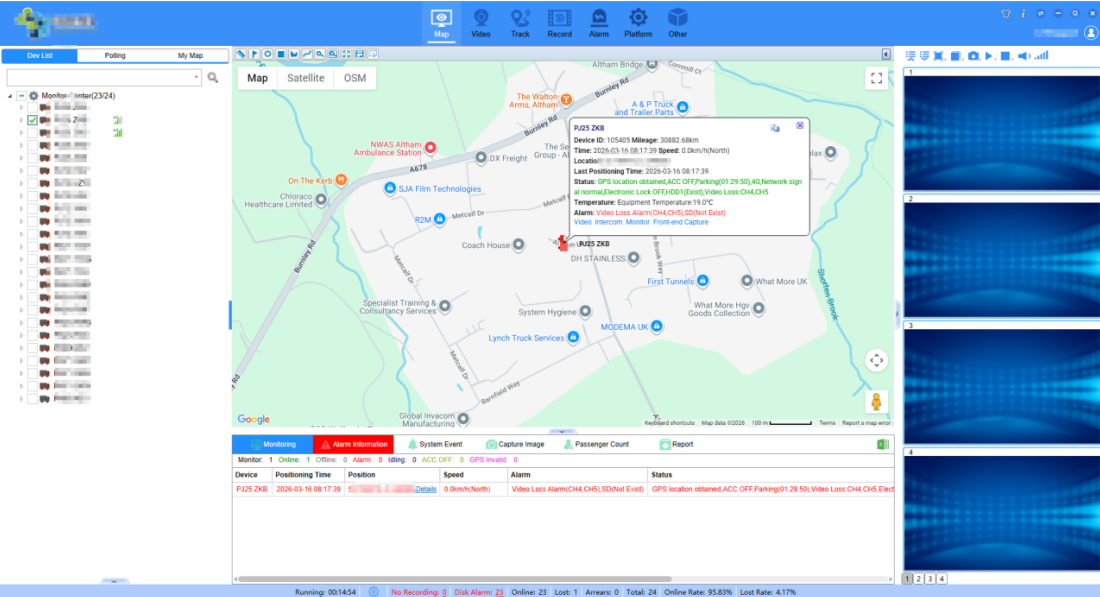
3. Restart the IVMS Client and login again, then you will see it works now.
FAQ DOWNLOAD:

 Español
 português
 简体中文
简体中文 繁體中文
繁體中文 Deutsch
 Français
 日本語
日本語 한국어
한국어 بالعربية
 TÜRKÇE
 русский
 English
Contact Us
Questions or comments? Please fill out the form below, send a quick message, or call us. We love to hear from you!