
 Icarvisions.com
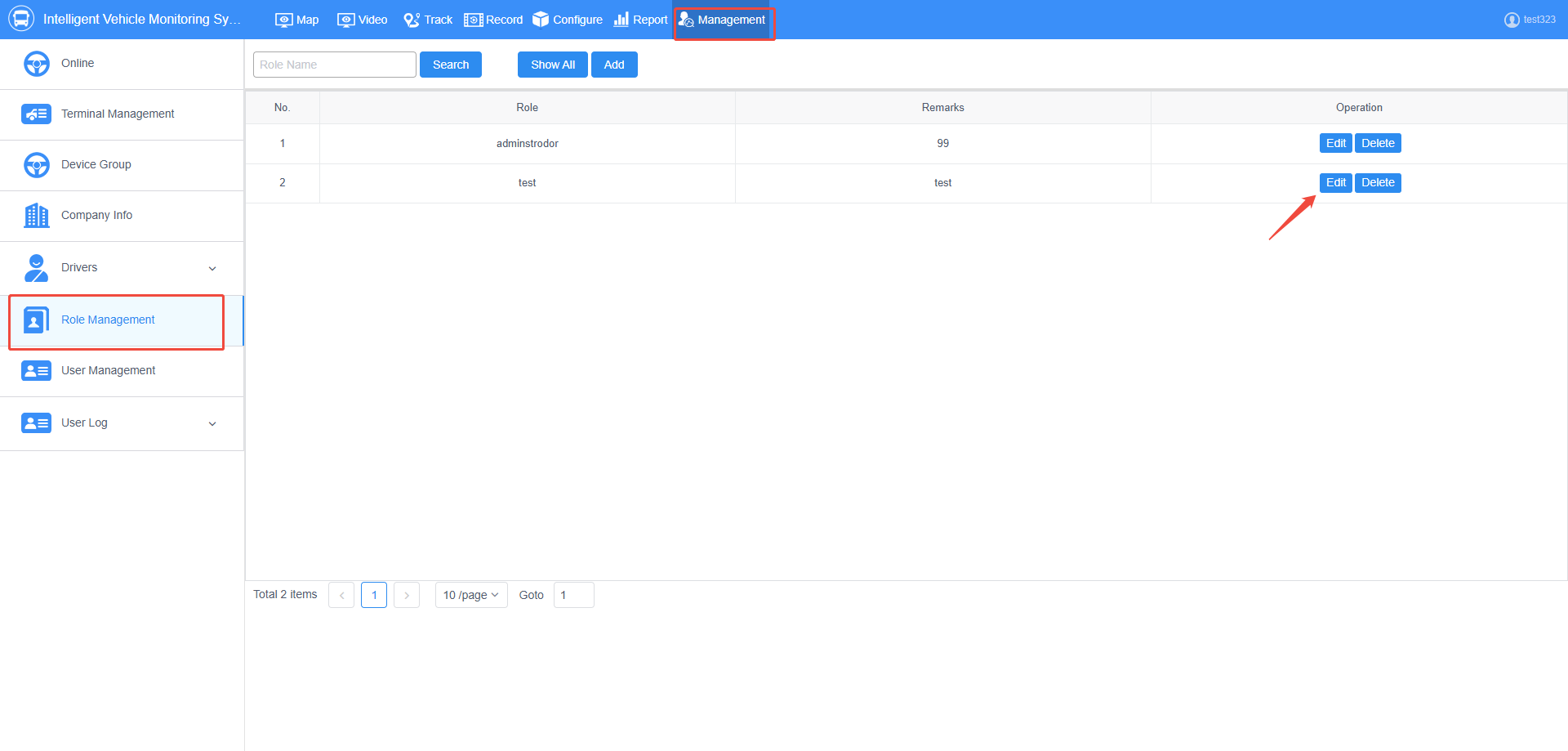
1. First, log in to your account, go to Management > Role Management, and select the role you want to restrict to edit it.
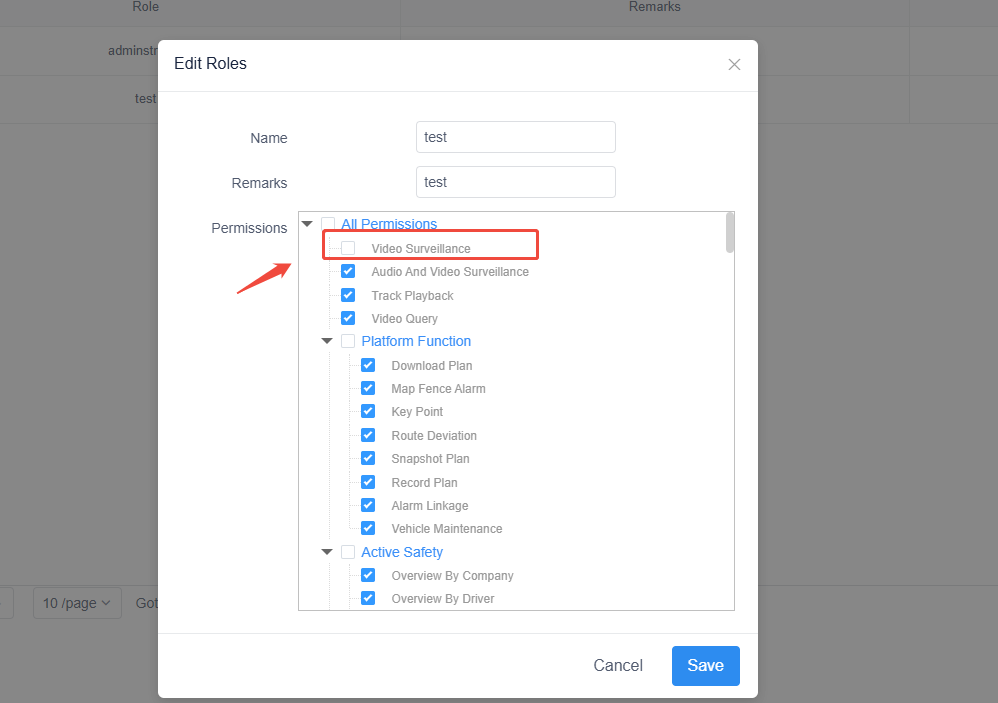
2.Simply uncheck “Video Surveillance.” This will prevent any accounts with this role from seeing the MAP feature on the web interface.
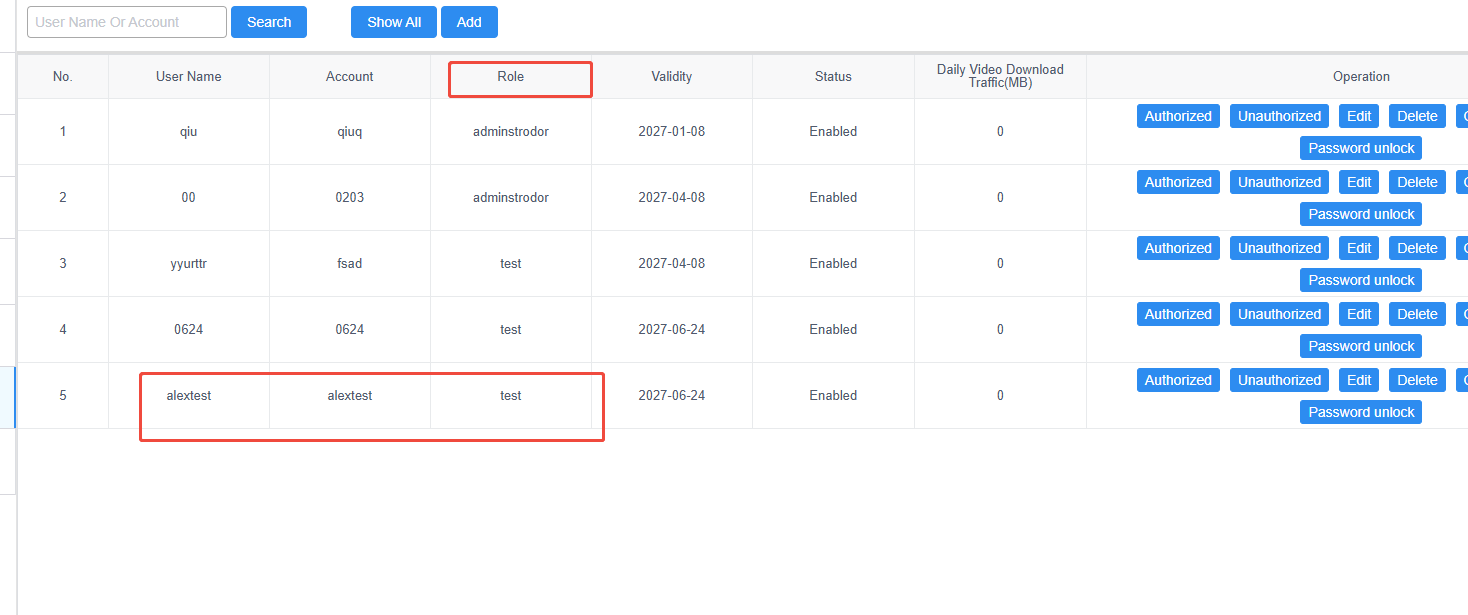
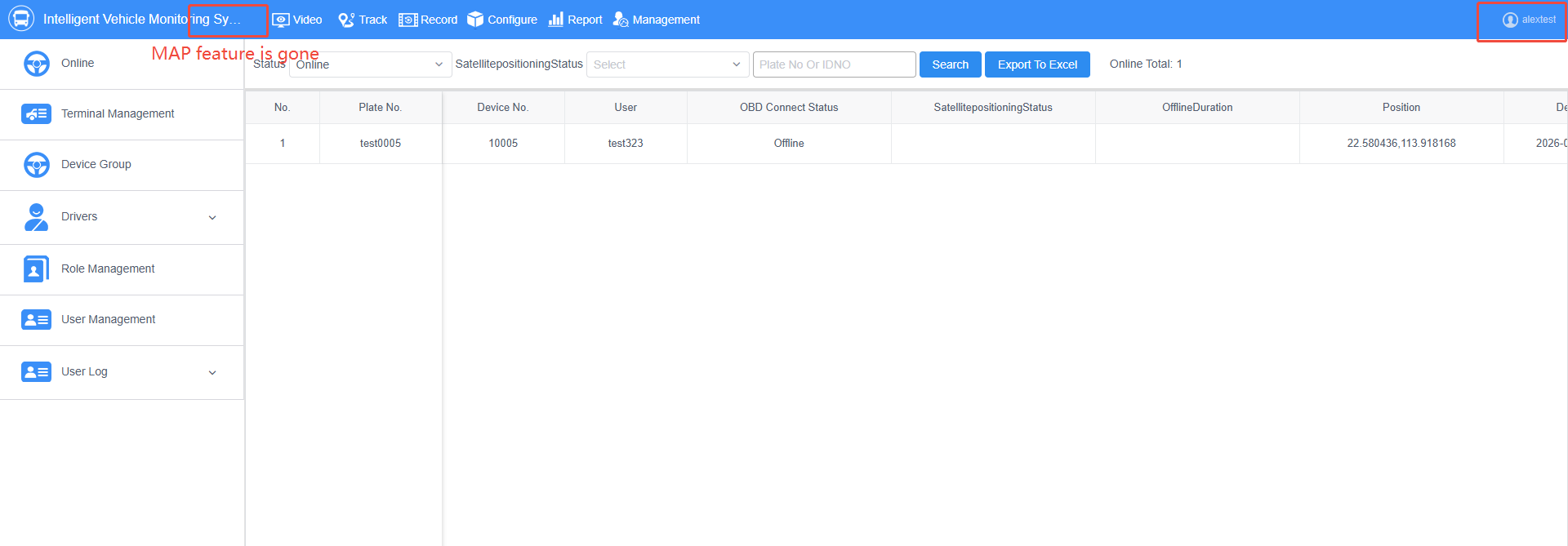
3. As shown in the image below, the role for “alextest” account is “test.” After logging into the web interface, the MAP feature is no longer visible.

 Español
 português
 简体中文
简体中文 繁體中文
繁體中文 Deutsch
 Français
 日本語
日本語 한국어
한국어 بالعربية
 TÜRKÇE
 русский
 English
Contact Us
Questions or comments? Please fill out the form below, send a quick message, or call us. We love to hear from you!