-
This FAQ explains how to use USB to SATA cable to read MDVR HDD. It covers connecting HDD to computer, installing Ext2Fsd driver, configuring file sys...
-
This FAQ explains how to get mobile DVR WiFi online. It covers configuring WiFi connection settings, setting device ID and IVMS server information, an...
-
This FAQ explains how to upgrade MDVR logo via USB or SD card. It covers preparing logo image with specified format and size, placing files into stora...
-
This FAQ explains how to use SD card to upgrade JS2-HD series MDVR. It covers powering off device, copying .crc file to SD card, automatic firmware up...
-
This FAQ explains how to use 3G/4G online for mobile DVR. It covers logging into IVMS server, configuring basic vehicle and network settings, setting...
-
This FAQ explains how to upgrade MDVR firmware using USB. It covers powering off device, copying .crc file to FAT32 USB drive, automatic firmware upda...
-
This FAQ explains how to add IP camera to MDVR, covering IP address matching, network configuration, IPC menu setup, searching and connecting cameras,...
-
This FAQ explains mobile DVR firmware upgrade, covering definition of firmware, necessary update scenarios, and two upgrade methods: local via SD card...
-
This FAQ explains the usage of Ethernet port on ICARVISIONS MDVR, including supporting IP camera input with POE 12V power supply and connecting to loc...
-
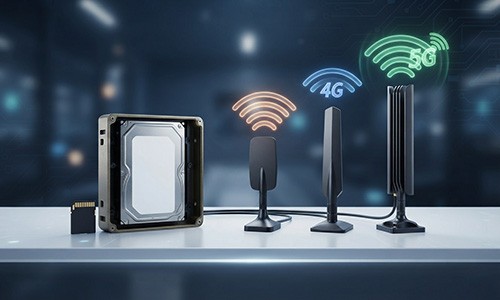
This FAQ explains factors to determine sufficient MDVR storage capacity, including maximum supported storage, number of connected cameras, video resol...
-
This FAQ explains mobile DVR data usage in two scenarios: live video consumes variable data depending on usage, while GPS-only mode uses only 30MB per...
-
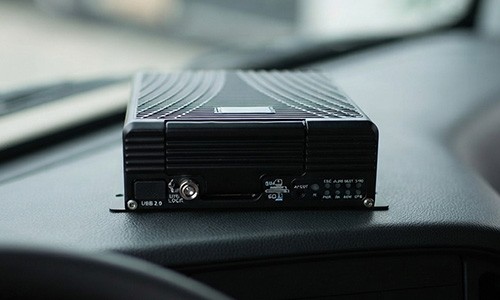
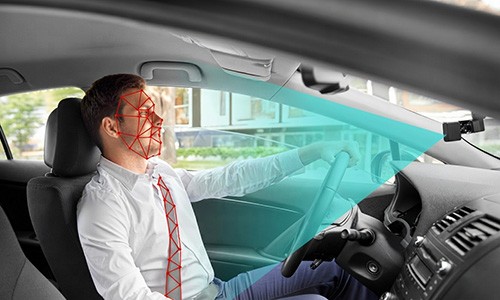
This FAQ introduces mobile DVR, a vehicle-specific digital video recorder, highlighting its rugged design, core modules like G-sensor, GPS, 3G/4G and...

 Icarvisions.com

 Español
 português
 简体中文
简体中文 繁體中文
繁體中文 Deutsch
 Français
 日本語
日本語 한국어
한국어 بالعربية
 TÜRKÇE
 русский
 English